Marketing help for local businesses
Leave the light on for your customers.
It writes your posts in your voice, can write next week for you every Friday, keeps your Google listing fresh and asks your customers for reviews. Nothing goes out until you say yes.
Free 14-day trial / No card needed / You approve every post
All your marketing, one helper:posts in your voice.
(01) What it is
Townlight is the marketing help a local business never had time to hire. It writes your posts from your real prices, people and hours, can write next week for you every Friday, keeps your Google listing fresh and asks your customers for reviews. You just say yes.
(02) What it does
All your marketing, one helper.
- (01)AutopilotNext week, written every Friday from your own records. Approve it in one tap.
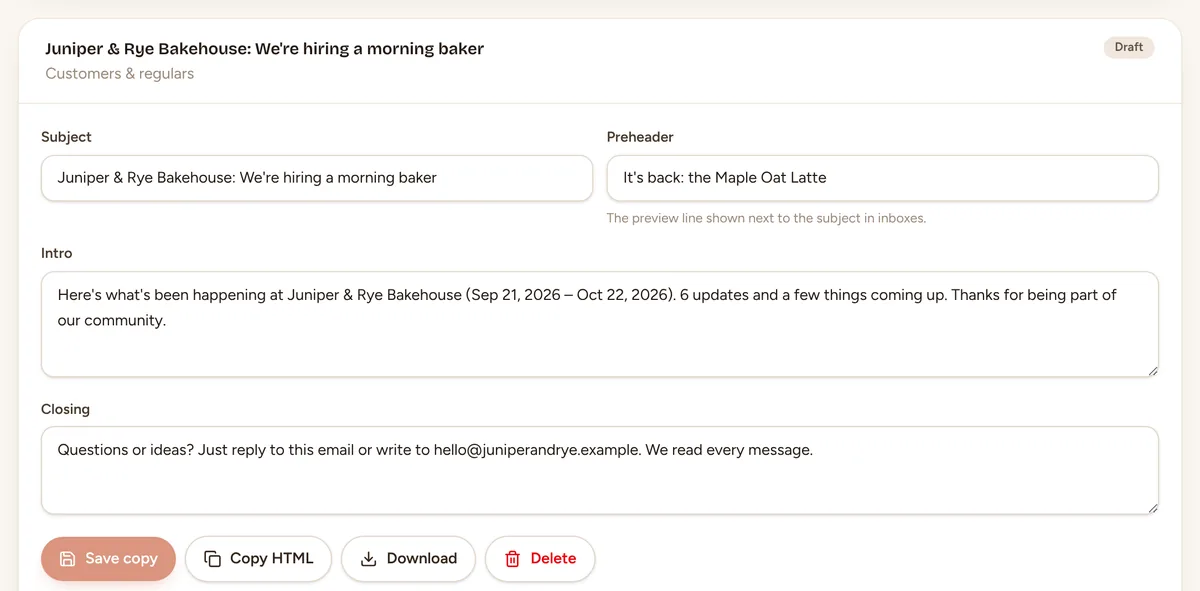
- (02)Posts in your voiceA sentence in, 5 versions out, built only from your real details.
- (03)Google Business ProfileOffers, events and updates on your listing, with a button to book, order or call.
- (04)Review requestsA warm thank-you email that asks your customers for a review, the fair way.
- (05)CampaignsFrom GrowthAn event, a sale or a launch becomes a week of dated posts.
- (06)NewsletterFrom GrowthA sign-up page for your website, and newsletters drafted from your posts and events.
(03) Autopilot
Next week's marketing, done before the weekend.
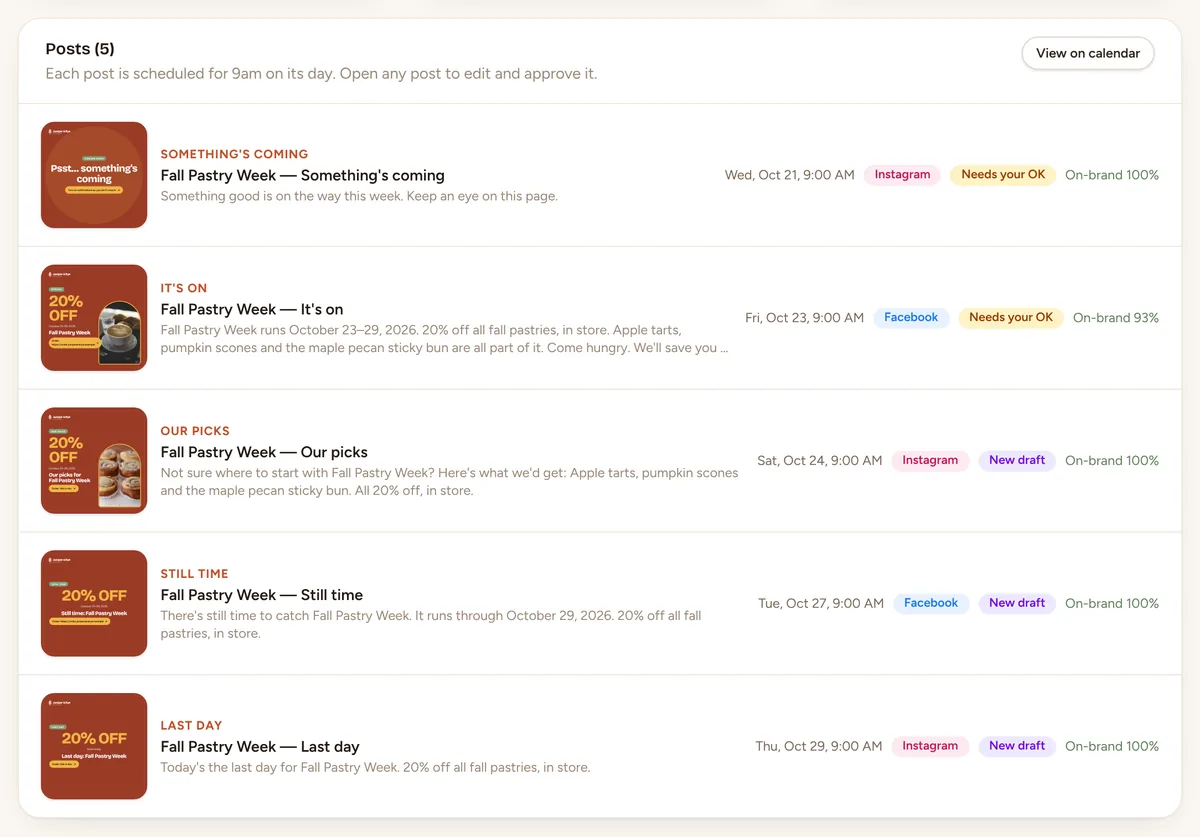
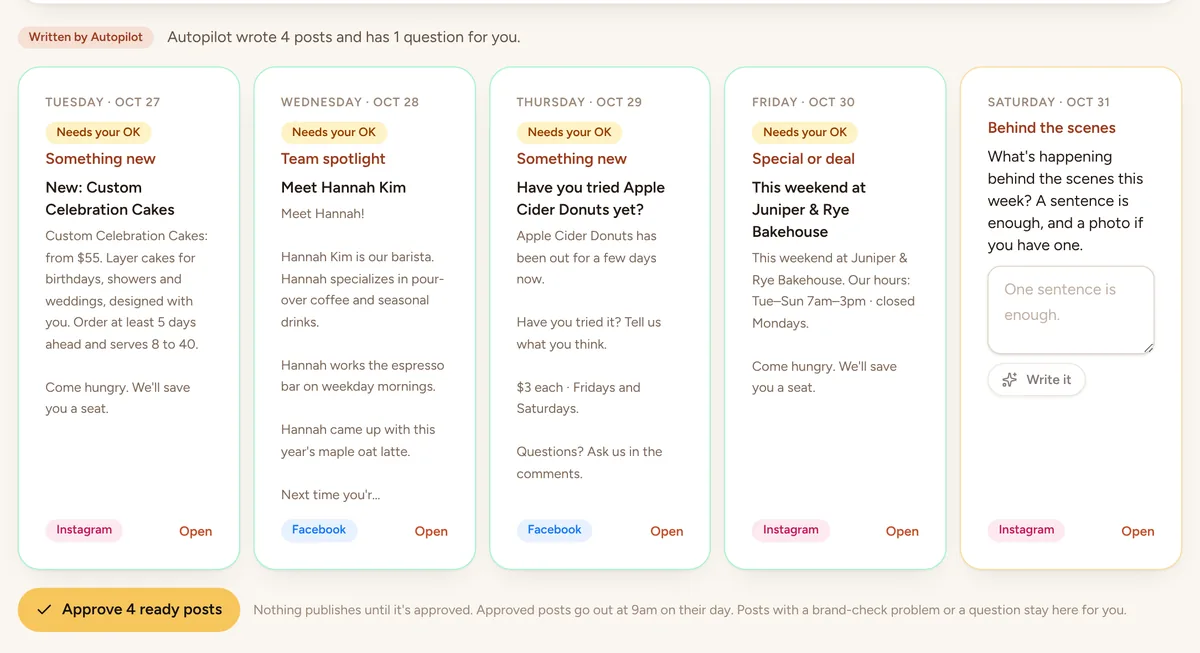
Every Friday morning Townlight writes next week's posts from your products, your team, your events and the holidays coming up, then emails you. Look it over, approve the ready ones, and get back to your customers.
- Five posts a week, each from something real in your records
- Asks a one-line question when only you know the answer
- Scheduled for 9 am on their day, with a reminder when it's time to post
(04) Made for 17 kinds of local business
Find yours- Cafés
- Salons
- Gyms
- Plumbers
- Boutiques
- Barbers
- Bakeries
- Dentists
- Florists
- Groomers
- Auto shops
- Breweries
- Tutors
- Spas
- Realtors
(05) How a post happens
From a sentence to the calendar in about a minute.
Step 1: Say it in a sentence
Type what's going on the way you'd tell a regular, and add a photo if you have one. Townlight fills in the price, the hours and the names from your own records.Something new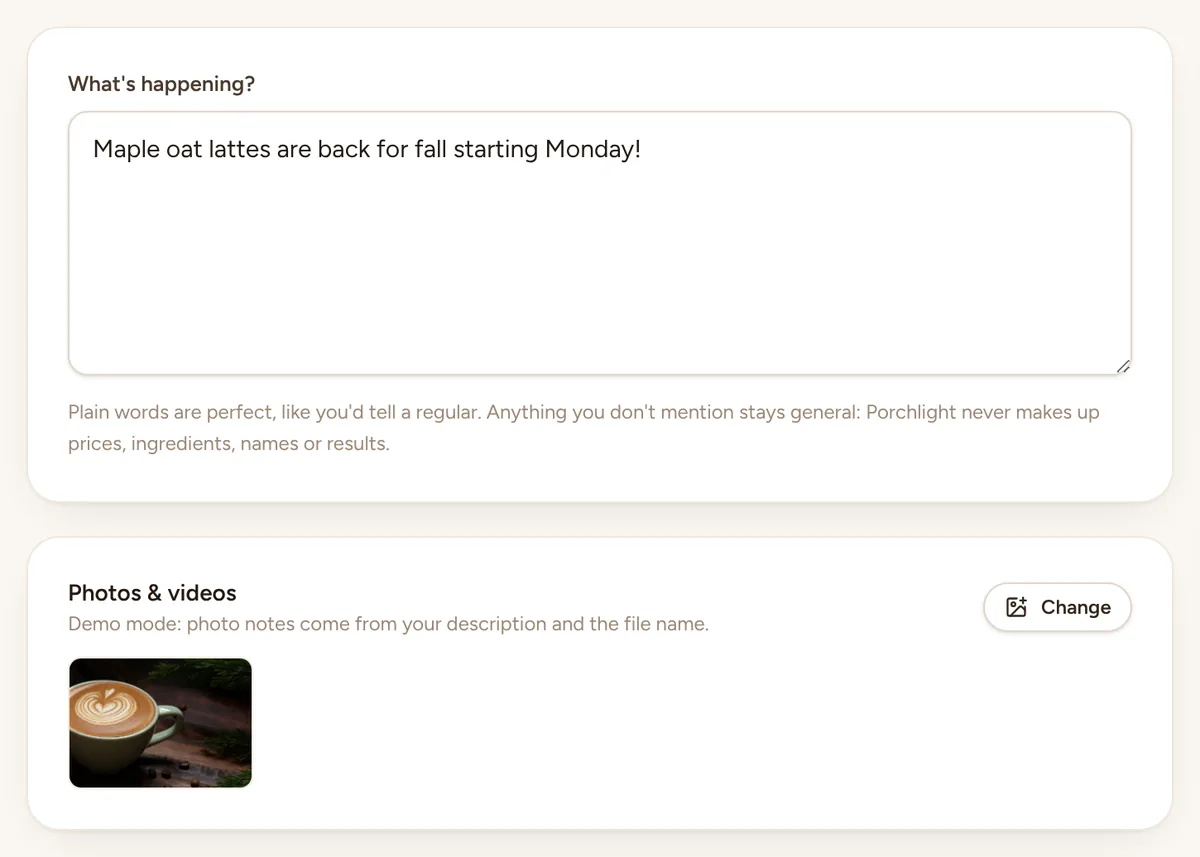
Screenshot of the app, with a made-up bakery Step 2: Pick a version
You get 5 every time: Friendly, Playful, Polished, Story, and Short & sweet. Then tap “Make this…” to make it shorter, warmer, more local or add a few emoji.Your post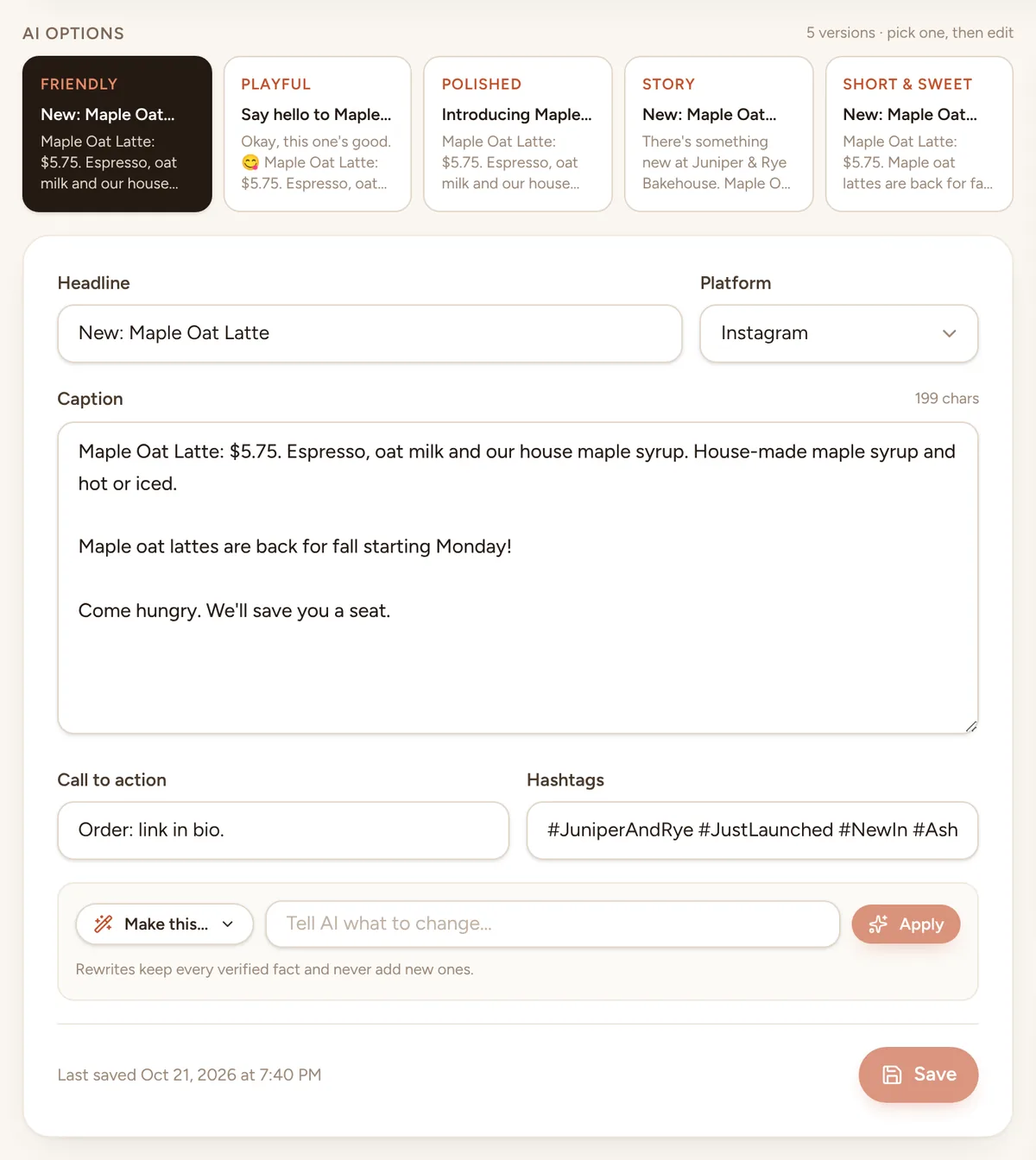
Screenshot of the app, with a made-up bakery Step 3: It's on the calendar
Approve it and choose a day and time. When it's time, Townlight emails you and posting takes a minute: download the picture, copy the caption. Drag it to another day if plans change.Calendar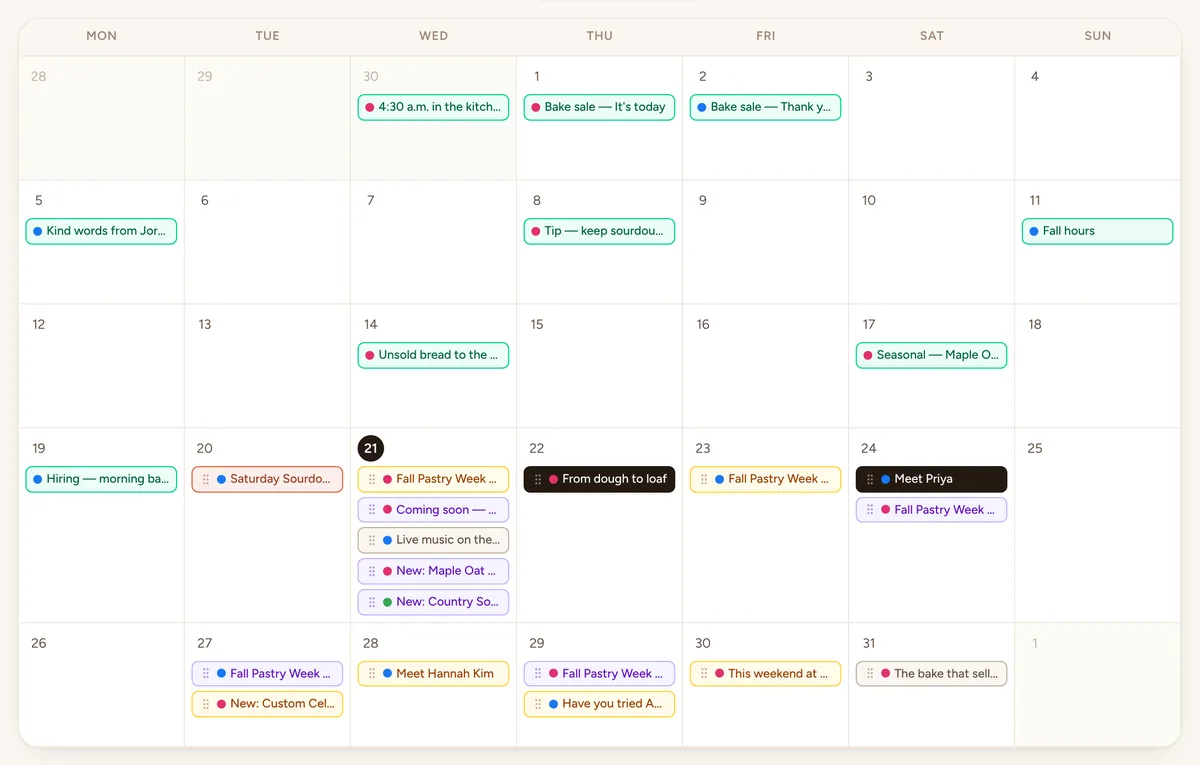
Screenshot of the app, with a made-up bakery
(06) Get found, get chosen
Show up on Google. Give people a reason to pick you.
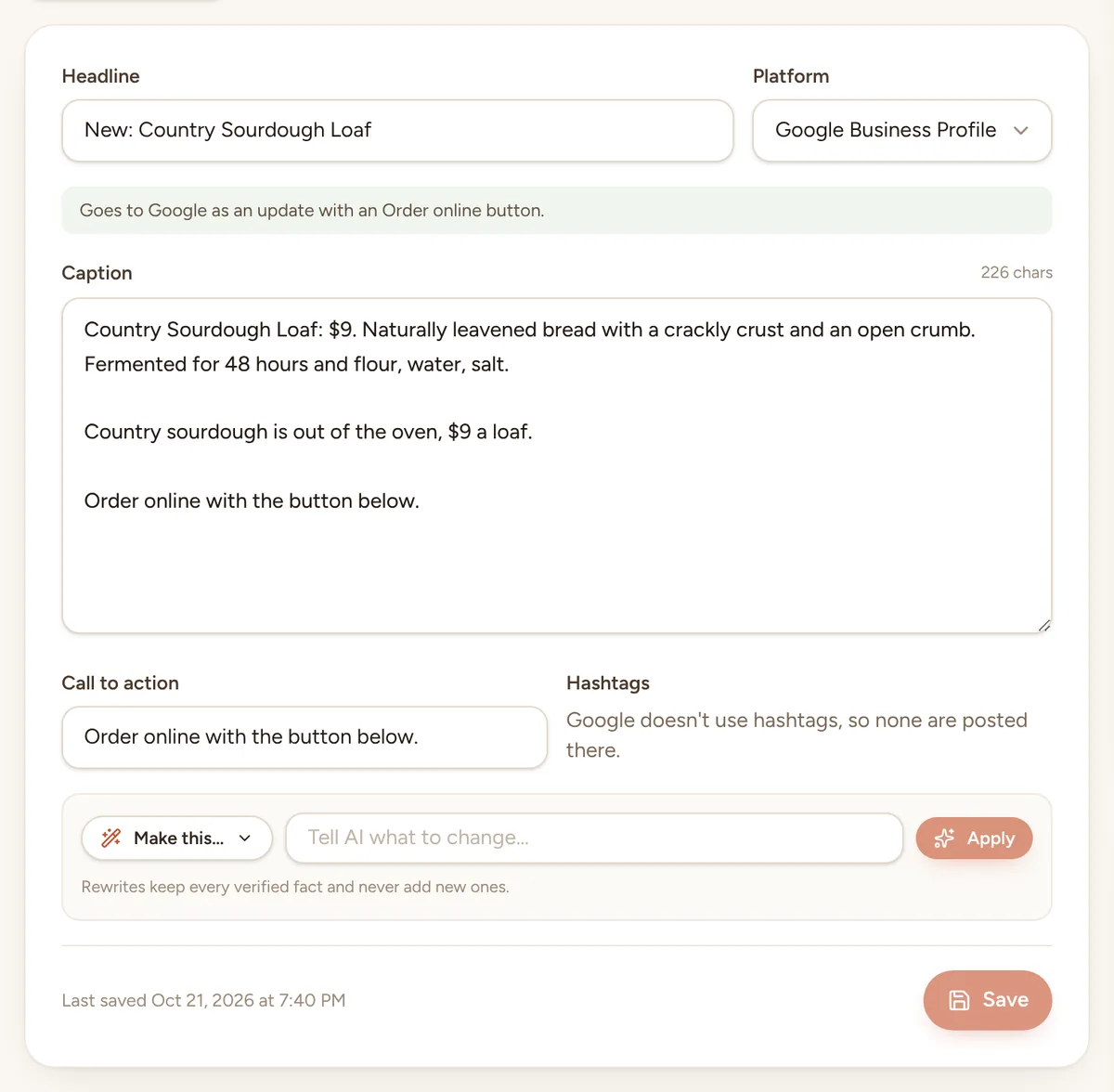
Your Google listing, kept fresh
Specials go up as offers with dates, events as events, and everything else as an update with a button to book, order or call.
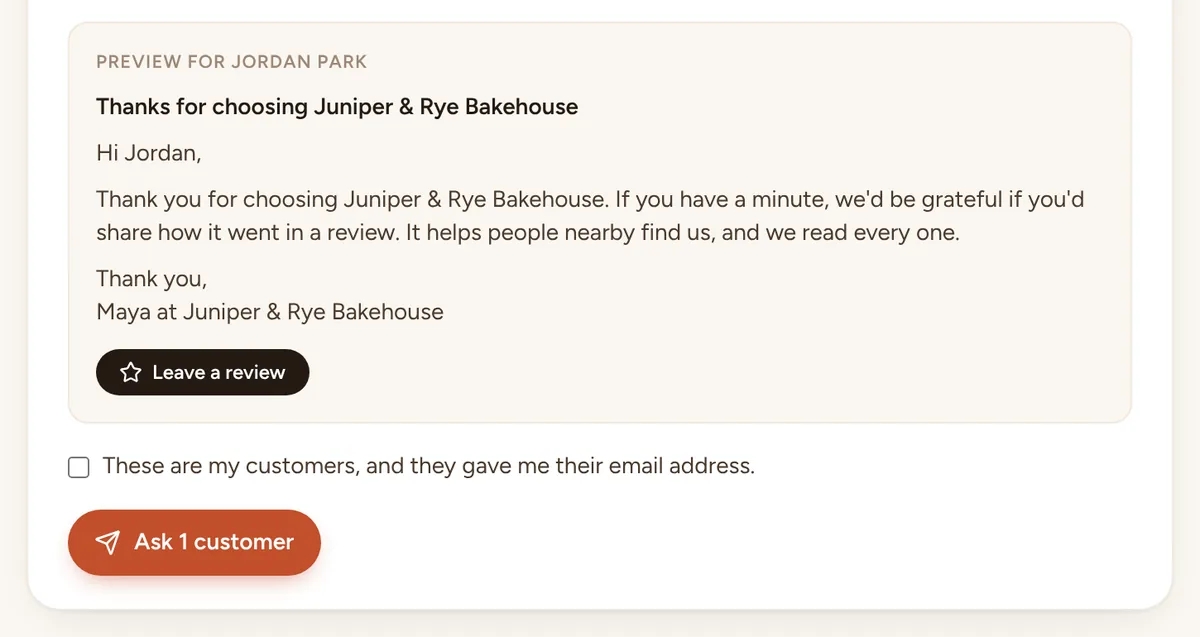
Review requests, done the fair way
Each customer gets a short thank-you from your business with a button to your review page. Same message for everyone, nothing offered in return, nobody asked twice in 90 days.
(07) Designs
Posts that look like you made them.
Six looks to choose from, or one made from your own description. Each post gets a layout that suits it and isn't the one before, so your feed never looks stamped from one template. Square, portrait or landscape.









Real post designs, made-up bakery. The review is an example.
(08) Honest by design
What Townlight won't do.
Your customers trust you. So Townlight only writes what you told it or what's in your records, and checks every post before you see it.
- Won't: Make up a price, a discount or a deadline
- Won't: Invent a review, a quote or a happy customer
- Won't: Call you “the best in town” unless you said so
- Won't: Post anything you haven't approved
- Won't: Ask only your happy customers for reviews
- Won't: Store your Facebook, Instagram or Google password
- Won't: Sell your data or train AI on your posts
- kinds of business it already knows
- 17
- kinds of posts, ready when you are
- 13
- holidays and moments on the calendar
- 57
- versions of every post to pick from
- 5
(09) Pricing
Priced like a small business tool, because it is one.
Every plan starts with a free 14-day trial. No card needed.
Starter
Just you, posting a few times a week.
$29/ month
or $24 / month billed yearly
- 60 posts written for you a month
- 1 person who edits and approves
- Posts, holiday ideas, Plan my week and Autopilot
Growth
Most popularA small team with events and specials on the calendar.
$69/ month
or $58 / month billed yearly
- 200 posts written for you a month
- 3 people who edit and approve
- Everything in Starter
Pro
Several locations or a busy team.
$149/ month
or $124 / month billed yearly
- 600 posts written for you a month
- 10 people who edit and approve
- Everything in Growth
(10) Questions
Good questions, straight answers.
Will it sound like a robot?
Does it ever make things up?
Can it run my marketing for me?
Does it email my customers?
Which platforms does it work with?
Can my staff help?
What if I have more than one business?
Which AI does it use?
Something else on your mind? Ask us
Leave the light on.
Start the free trial, add your business details and a few photos, and see your first week of posts the same afternoon. Nothing goes out until you say yes.